Experience
the dynamics and benefits of GROUP INTERACTION on the web. Around the office, around the corner and around the world. |
 |
Web Collaboration Orientation Instructions Revision #32 - 01/01/2007 |
 |
It is now possible for globally
and locally distributed groups to work collaboratively via the internet.
There are four sections in this message:
Please read through all three sections of this message. You may want to print this as a reference guide for joining the teleconference and the web conference.
If you need to contact us prior to the orientation session:
Office/Voice: (773)-463-2288
Cell/Voice: (847)-846-8139
pcollins@jordan-webb.net
WELCOME (TOP)
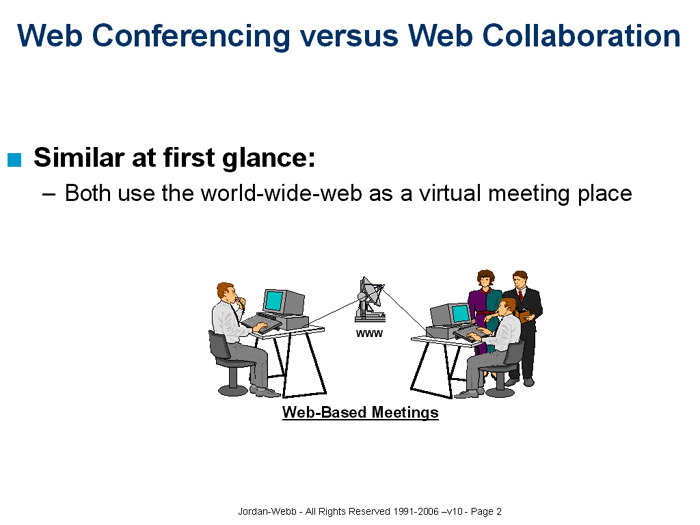
Web Collaboration differs from the Web Conferencing applications which you may used before. Well-known Web Conferencing products do an excellent job of providing a one-to-many communications environment where a leader shares an application screen, steps participants through slide presentations or does limited polling and feedback.
 |
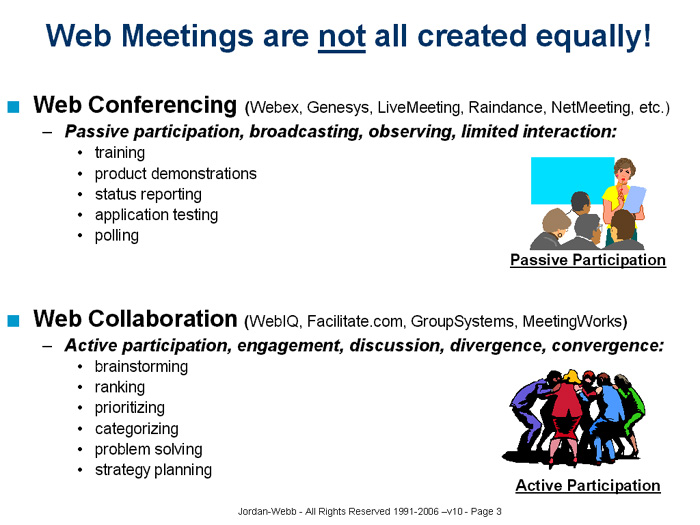 |
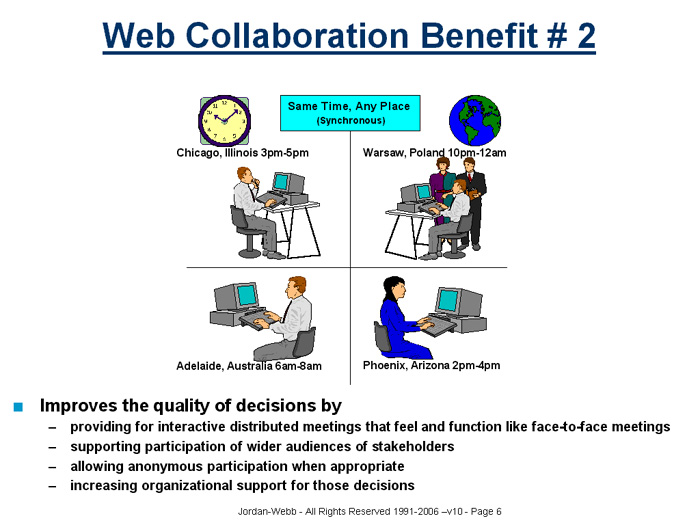
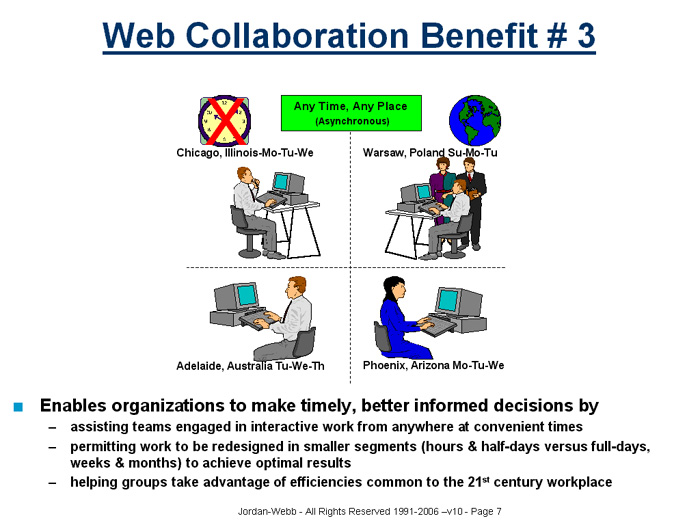
One distinguishing characteristic about Web Collaboration is that it provides an integrated set of meeting tools and data management functions as well as a many-to-many communication environment where distributed participants can execute interactive processes on the web in one of two ways:
- synchronously - with a teleconference, as though they were in the meeting room, or
- asynchronously - where participants can contribute their input at times convenient to their own schedules.
 |
 |
We invite you to "test drive" Web Collaboration in this orientation. You can participate in this session from anywhere in the world via a teleconference call and your web browser.
Our Web Collaboration environment is powered by the software known as WebIQ.
WebIQ requires no installation, does not require you to download or install any client software, helper applications or browser plug-ins. Moreover, it does no register updates, leaves no "cookies" and does not use any files on your computer.
Therefore you will
not have to deal with any of the firewall or security issues that you
may have experienced with Web Conferencing products.
In this orientation you will experience:
- How Web
Collaboration differs from Web Conferencing
- How distributed
participants can engage in interactive activities such as:
- strategy planning
- problem-solving
- knowledge capture
- decision-making
- How a collaborative
environment can manage and maintain a distributed group's "memory"
- How to leverage
the web to help remove non-value-added costs and time from every-day
work
- How to better utilize individuals' time spent in group meetings
JOIN THE TELECONFERENCE (TOP)
-
North American Dial-In #: (866)-276-6454
International Dial-In #: (706) 758-1121 (connection guaranteed)
International Toll Free Dial-In #: see your invitation (connection not guaranteed)
-
Enter Conference Pass Code on the keypad: 7734632288 and press #
-
You will be asked to state your name and press #.
-
You will be joined to the teleconference.
- In the event there is trouble
with the self-join procedure, call the operator assisted Dial-In
#: (888)-898-3178 and give the Conference Pass Code: 7734632288.
Office/Voice: (773)-463-2288
Cell/Voice: (847)-846-8139
pcollins@jordan-webb.net
JOIN THE WEB CONFERENCE (TOP)
- You will need
a PC (sorry no Macs), running Windows 98 or better. Recommended browsers
are Internet Explorer (v5 or better) or Netscape (v4.7 or better). If
you use Netscape, please let us know when you join the teleconference.
- Your invitation/confirmation
email will have the exact url of your session start page. The
default is the url: http://www.webcollaboration.biz/yyyymmdd - where
yyyymmdd is the year, month and day of the session
for which you're registered. Example: http://www.webcollaboration.biz/20060101
- WebIQ operates within a popup window environment.
- Temporarily disable all popup blocking on your computer,
- join the Web Conference by clicking the link at step 2a)
- or
- if you cannot or prefer not to disable popup blocking or if you encounter problems at step 2a)
- join the
Web Conference by clicking the link at step 2b)
- From the login screen, enter the userid and password emailed to you earlier. Your userid and password are the same and should be either:
- firstname.lastname (lower case) - e.g. "jane.doe"
- everything to
the left of the @ in your email address (lower case) - e.g. "janedoe01",
or
- If you see an Agenda
for today's "Web Collaboration Orientation Session", then you're
in the right place
- While you wait
for the session to begin, practice "navigating" around this Agenda and
see what you find. You won't hurt anything by doing this.
- Do "maximize" your screen by clicking on the Windows Maximize Icon (upper right)
- Do Click on the "Online" button to see the active participants
- Do review the session ground rules at the bottom of this page
- Do not
click on the hyper-link word "Logoff" under the hyper-link
word "Session" - at least not until you're leaving the
session!
- If you have encountered
any trouble logging into the website, let us know the specific problems
immediately when you join the teleconference
- To logoff,
move your mouse over the hyper-link word "Session" in the upper left
side of the Agenda screen. Pull down to the link "Logoff" and click
once. Respond yes to the next two prompts and you will be logged off
of the WebIQ website. Please use this procedure to logoff instead of
the shortcut "X" out
- You
will be emailed a comprehensive report of the work done at the end of
the session
- This session will be active for at least one week after your orientation. After that date, the session will be "archived". Archived sessions can still be accessed in read only mode in the same way that you accessed the orientation, but you will only be able to view that session's activities
Office/Voice: (773)-463-2288
Cell/Voice: (847)-846-8139
pcollins@jordan-webb.net
GROUND RULES (TOP)
-
Please ask for help if you need it
-
Participants may help each other
-
Please say your first name before speaking. After we start to recognize
each other's voices, we might do this less frequently.
-
Please ask if you are not sure who the speaker is and need to know.
-
If you have to leave the conference, please say your name, tell us you're
leaving and whether you'll return. If you place your phone on hold,
mute the line (*6) to suppress any hold music or announcements.
- When
you return, please say your name and that you're back. Un-mute is #6.
- Have fun! - "You don't go into business in order to have fun, but there's nothing wrong with having fun while you're doing business." - Leo Burnett
NOTE 1: Click
here to view the current WebIQ Orientation Schedule
NOTE 2: Click here to view the current WebIQ
Orientation Invitation
NOTE 3:
Click here to view the current FAQ about Web
Collaboration
Thank you in advance for participating.
Sincerely,
Paul Collins
Office/Voice: (773)-463-2288
Cell/Voice: (847)-846-8139
pcollins@jordan-webb.net